Creating a productive home workspace is essential for anyone working remotely or juggling tasks at home. A well-organised and comfortable environment can significantly improve your focus and efficiency, making work feel less stressful and more enjoyable. In this post, we’ll explore helpful tips to design a home workspace that supports your productivity and well-being.
Why a Dedicated Workspace Matters
Having a dedicated area for work helps signal your brain to switch into “work mode.” It separates your professional tasks from home life and can reduce distractions. Even if space is limited, carving out a defined spot to work, be it a corner or a small desk, makes a big difference.
Key benefits include:
– Increased concentration
– Better organisation and access to work materials
– Improved posture and comfort
– Easier to maintain work-life balance
Choosing the Right Location
Finding the best place for your workspace depends on your home layout and personal preferences.
– Natural Light: Aim for a space near a window. Natural light boosts mood and reduces eye strain.
– Quiet Environment: Pick a low-traffic area to minimise interruptions.
– Good Ventilation: Fresh air keeps you alert and comfortable.
– Sufficient Space: Make sure you have enough room for your equipment and some personal touches.
Essential Furniture and Equipment
Comfort and ergonomics are vital for productivity and long-term health.
Desk
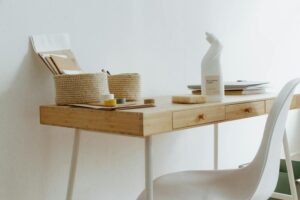
Choose a desk that’s the right height and size. It should comfortably fit your computer, keyboard, and any paperwork.
Chair
Invest in an adjustable chair that supports your lower back. Sitting properly prevents fatigue and discomfort.
Computer and Accessories
Use a monitor at eye level to avoid neck strain. Consider a separate keyboard and mouse if you use a laptop for extended periods.
Storage
Keep your workspace tidy with shelves, drawers, or organisers for stationery and documents.
Organising Your Workspace
A clutter-free area promotes clearer thinking and better focus.
– Declutter Regularly: Remove unnecessary items daily or weekly.
– Use Organisers: Desk trays, drawer dividers, and cable tidies keep everything in its place.
– Digital Organisation: Maintain a clean desktop and folder system on your computer.
Lighting Tips
Proper lighting reduces eye strain and headaches.
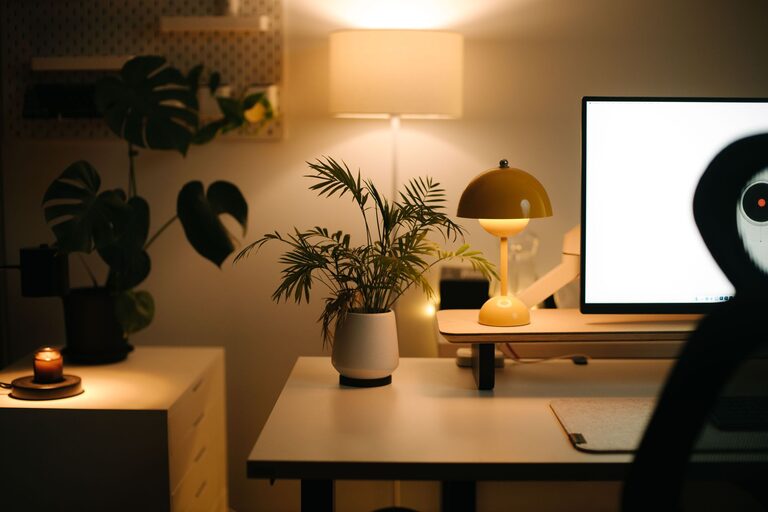
– Task Lighting: Use desk lamps for focused lighting when natural light isn’t enough.
– Avoid Glare: Position screens perpendicular to windows if possible.
– Warm vs Cool Light: Soft white bulbs create a cosy setting, while cooler lights can increase alertness.
Personalising Your Space
Adding personal touches can create a welcoming environment that motivates you.
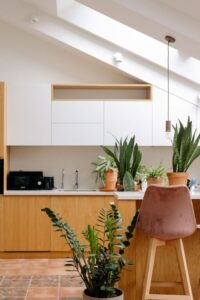
– Plants: Indoor plants improve air quality and add a calming touch.
– Artwork and Photos: Visuals that inspire you can lift your mood.
– Comfort Items: A cosy blanket or cushion can make long work sessions more pleasant.
Maintaining Focus and Comfort
Beyond the physical setup, your work habits play a big role.
Take Regular Breaks
Use techniques like the Pomodoro method (25 minutes of work, 5-minute breaks) to avoid burnout.
Move Around
Stretch or walk around during breaks to reduce stiffness and boost circulation.
Minimise Distractions
Turn off unnecessary notifications and set clear boundaries with others in your home.
Manage Temperature
Keep your room at a comfortable temperature – not too hot or cold – to stay focused.
Final Thoughts
Creating a productive home workspace is about combining comfort, organisation, and personal preference. Start with basic adjustments and gradually adapt your space until it truly supports your work style. Remember, a well-thought-out workspace not only improves output but also enhances overall well-being at home.
By investing time and attention into your home office setup, you can enjoy a more focused, comfortable, and productive workday every day.